How DevRoam works
An AI receptionist that learns your business in minutes, with no call flows or menus to configure.
Describe your business in your own words
Opening hours, services with their duration and price, staff, booking rules and anything it must never say. Type it or dictate it.
- Detects your type of business, hours and services.
- Turns your instructions into editable rules.
- Friendly or formal tone — you choose.
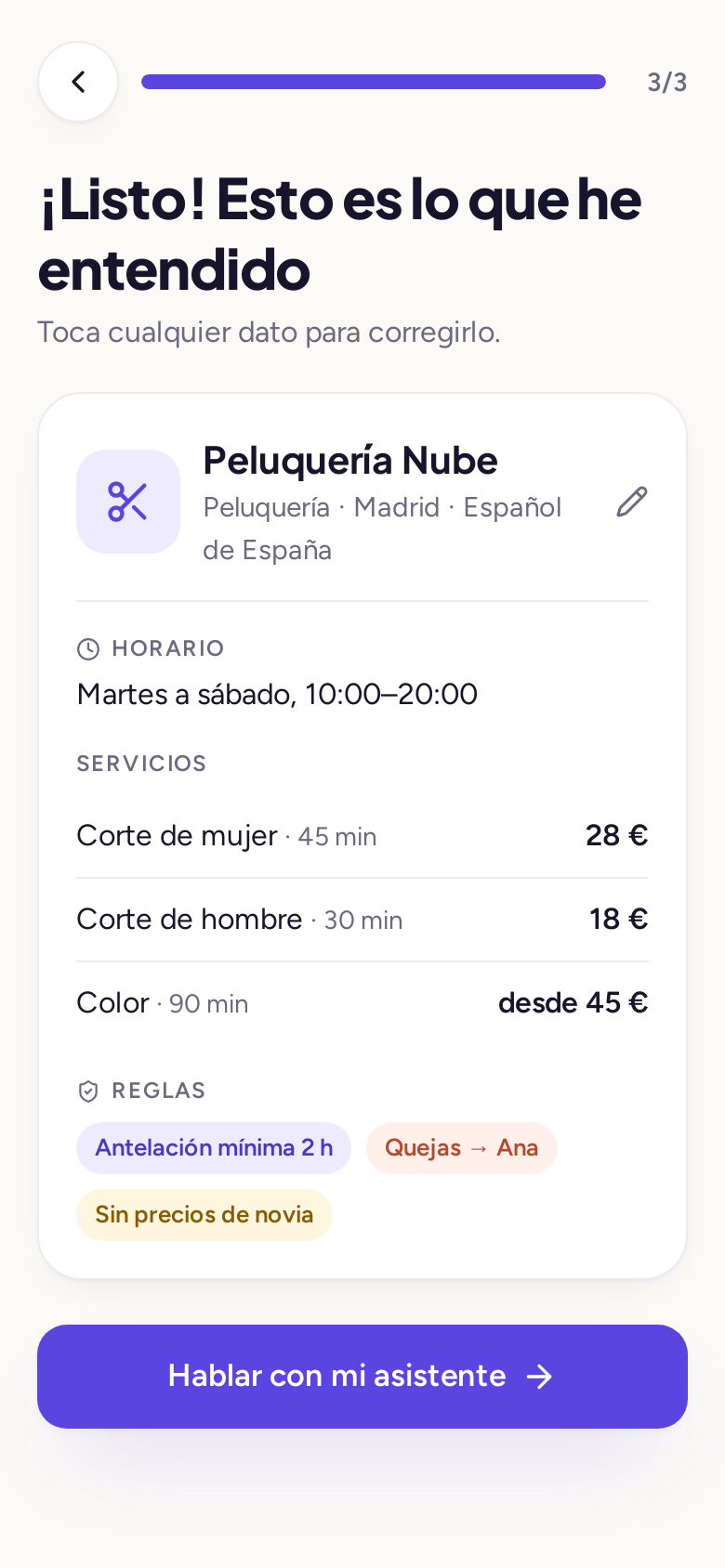
Real screenshot of the app with the sample business offered at sign-up.
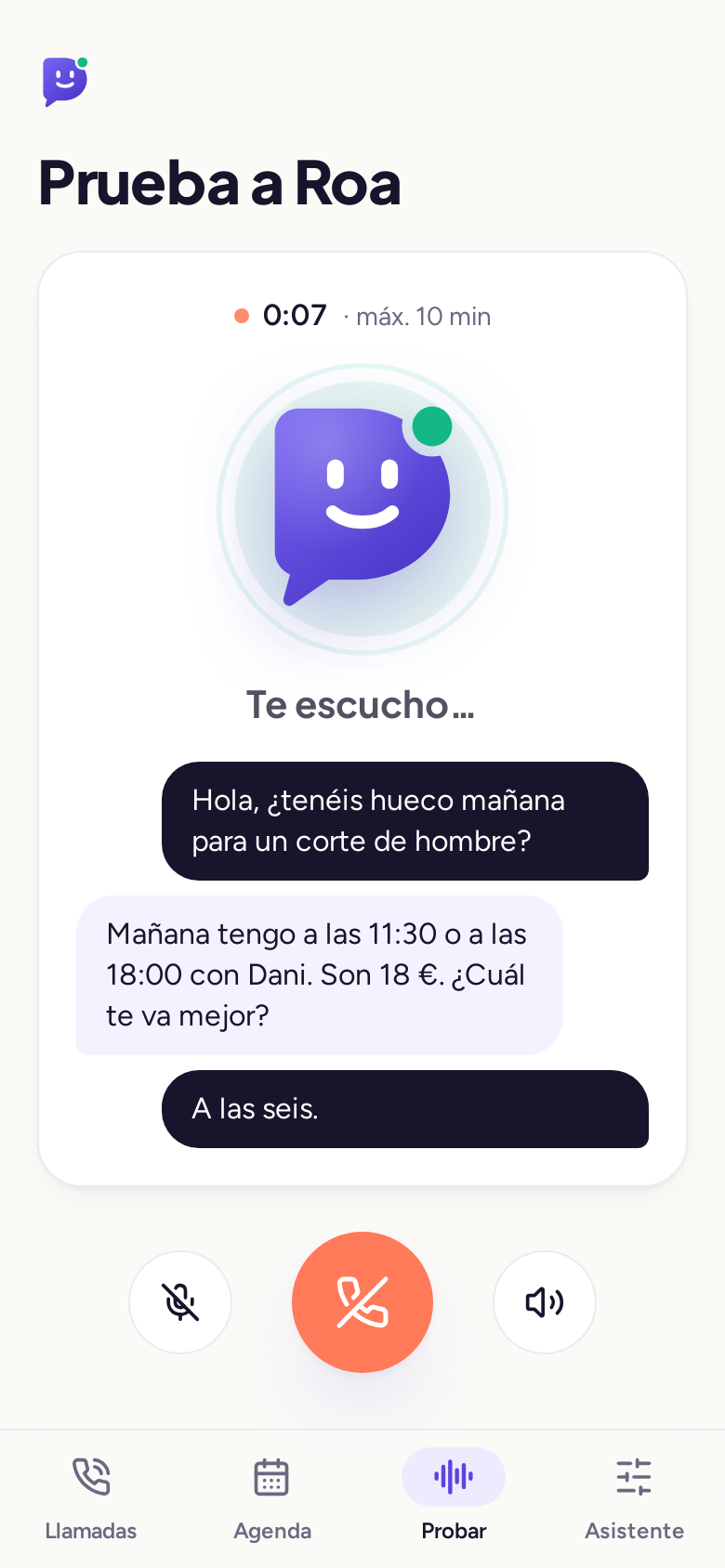
Test it before you switch it on
Make a test call from the app. If something isn't right, type the correction: "if they ask about parking, say there's some on the street behind us".
Turn on forwarding and start answering
Most businesses keep their number and forward the calls they can't take to DevRoam. It's done with a code from your mobile carrier.
Example (standard GSM codes): forward when unanswered **61*number#, when busy **67*number#, when there's no signal **62*number#. To cancel them all: ##002#. Check with your carrier; the full guide is in call forwarding codes for Movistar, Vodafone and Orange.
During every call
Introduces itself as a virtual assistant
Meets the transparency requirement of the EU AI Act.
Understands and replies in real time
No "press 1": the caller simply talks.
Follows your rules
Books, takes a message, gives information or transfers.
Logs everything for you
Transcript, summary and confirmation by WhatsApp.
Frequently asked questions
What technology does DevRoam use?
A real-time voice system that listens and replies in streaming mode, plus your business logic: calendar, rules and messages. Data (appointments, calls and transcripts) is stored on AWS in the Ireland region (eu-west-1). Conversations use specialised providers: Deepgram (transcription), Anthropic (language model, with an Amazon Bedrock fallback in the EU), ElevenLabs (voice) and xAI (voice fallback), which process audio and text in the USA under GDPR safeguards.
What happens if the AI doesn't know the answer?
It follows your rules: takes a message, offers a call-back or transfers the call. You can review every transcript and add the answer for next time.
How do I turn on call forwarding?
On your mobile, you dial a forwarding code (for example, forward when unanswered) with the number we give you. The app guides you step by step for your carrier.
Can I review the calls?
Yes: every call has a transcript, summary and outcome (appointment, message, transfer) in the app.
Let Roa pick up the phone
Set it up in minutes by describing your business. 14 days or 30 minutes free.